Why GitLab Beats GitHub for Solo Developers
“When you’re the only person on the team, every extra tool is extra friction.”
GitLab, by design, bundles the entire software‑development lifecycle into a single application. For a solo developer this means one URL, one login, one permission set, eliminating the need to stitch together disparate services.
Core Advantages (Feature‑by‑Feature)
Build & Deploy:
| Feature | GitLab | GitHub |
|---|---|---|
| Integrated CI/CD | Full‑featured pipelines, Auto‑DevOps, self‑hosted runners out‑of‑the‑box | Separate GitHub Actions, requires separate YAML, limited free minutes |
| Built‑in Container Registry | Private registry with unlimited storage on self‑hosted instances | Separate GitHub Packages, often requires extra configuration |
| Security Scanning | SAST, DAST, Dependency Scanning, Container Scanning, License Management | Dependabot alerts only, no native SAST/DAST |
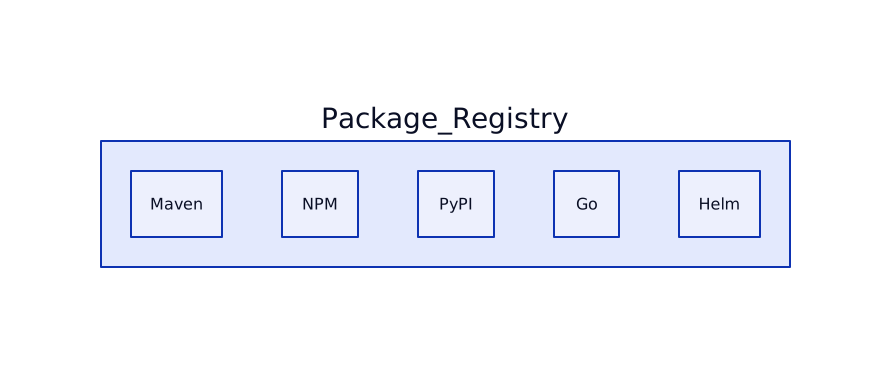
| Package Management | Maven, NPM, PyPI, Conan, Go, Helm – all in one | Limited to few ecosystems |
Project Management:
| Feature | GitLab | GitHub |
|---|---|---|
| Issue & Project Boards | Hierarchical issue tracking, Epics, Roadmaps, Milestones | Simple issue tracker, limited project board features |
| Self‑Hosted & GitLab‑Runner | Run pipelines on your own hardware, full control over costs | GitHub Actions runners can be self‑hosted but less integrated |
| Wiki & Pages | Built‑in wiki, GitLab Pages (static site hosting) | Separate GitHub Wiki, GitHub Pages (needs separate repo) |
| Permissions Model | Granular role‑based access, per‑project and group levels | Simpler, less flexible for advanced use cases |
How It Collapses Entropy to Zero
Entropy in software tooling is the unnecessary variety of services you must manage. GitLab’s “single‑source‑of‑truth” model means:
- One configuration file –
.gitlab-ci.ymldrives CI, CD, security scans, and deployments. - Unified UI – All pipelines, issues, merge requests, and containers live under the same navigation tree.
- Single authentication – One token works for API, CLI, and UI, removing credential sprawl.
- Self‑hosted optionality – You can run the entire stack on a personal VM, erasing external dependencies.
When every step lives in the same system, the information entropy of your workflow drops to zero: there’s no hidden state elsewhere.
Architecture Diagrams
Below are a series of architecture diagrams that illustrate GitLab’s end‑to‑end flow for a solo developer.
1. High‑Level Workflow Overview

2. Integrated CI/CD vs Separate Services

3. Self‑Hosted Runner Architecture

4. Security Scanning Pipeline

5. Issue Hierarchy & Epics

6. Package Management Consolidation
Practical Tips for Solo Developers
- Enable Auto‑DevOps: One click
(
Settings → Auto‑DevOps) gives you a full pipeline with security scans, container builds, and deployment. - Use GitLab CI Variables: Store secrets once; they are available to all jobs without extra tools.
- Leverage the Built‑In Wiki: Keep documentation alongside code – no separate repo needed.
- Run a Local Runner: Spin up a cheap VM, install
gitlab-runner, and keep your CI cost‑free. - Adopt Issue Boards: Use simple columns
(
To‑Do,In‑Progress,Done) and drag‑and‑drop – no external kanban tool.
Summary
For a solo developer, GitLab provides a single, coherent platform that eliminates the need for multiple services, thereby collapsing entropy to zero. You get CI/CD, security, container registry, package management, and project planning all under one roof, reducing context‑switching, credential management, and operational overhead.
Written by Nur Azhar on 2026‑06‑24. This post is meant as a personal guide, not a formal benchmark.